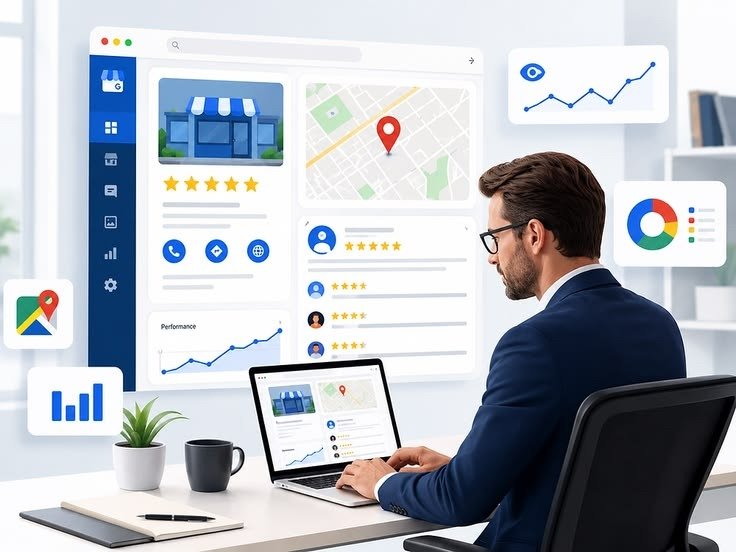


A complete Google Business Profile optimization checklist helps a service business present accurate information, strengthen local relevance and make it easier for potential customers to take the next step.
Google explains that local results are mainly based on relevance, distance and prominence. No checklist can change the searcher’s location or guarantee a ranking. The practical goal is to give Google and customers clear, consistent evidence about what the business does, where it operates and why it is credible.
1. Verify the profile and confirm access
Verification is the starting point for managing business information. Confirm that the correct business owns the profile, the primary owner account is controlled by the company and trusted team members have the minimum access they need.
Document who is responsible for updates. Outdated access and unclear ownership can become a serious operational problem when an address, phone number or business status changes.
2. Use the real-world business name
The profile name should match the name customers see in the real world and on the website. Adding extra keywords, locations or services to the business name can create inconsistency and may conflict with Google’s guidelines.
Keep the name consistent across the website, important directories, invoices and public business materials.
3. Choose the most accurate primary category
The primary category is one of the clearest signals describing the business. Choose the category that best represents the main service rather than the broadest available option. Add secondary categories only when they reflect services the business genuinely provides.
Review categories when the service mix changes, but do not change them frequently without a real business reason.
4. Complete every relevant business detail
- Phone number and website URL
- Address or service-area settings
- Regular and special opening hours
- Appointment or booking links where appropriate
- Business attributes that accurately apply
- Opening date if known and relevant
Check that the website destination works on mobile and leads to the most useful page. A campaign tracking parameter can help measure visits, but it should be implemented consistently and tested.
5. Set service areas carefully
Service-area businesses should list the areas they genuinely serve. Adding a long list of distant cities does not create a physical presence in those locations and may confuse customers about availability.
The website should support important service areas with useful information where there is real operational relevance. Avoid publishing near-duplicate city pages with only the location name changed.
6. Write a clear business description
Use the description to explain the primary customer, services, service area and differentiating approach in plain language. Avoid promotional clutter, keyword lists and claims that cannot be supported.
A useful description answers: Who do you help? What do you provide? Where do you provide it? What should a customer understand before contacting you?
7. Add services with accurate descriptions
List the important services that match the website. Short descriptions can clarify what each service includes, but they should not contradict pricing, availability or policies on the site.
Whenever a major service is added or removed, update the profile and the relevant website pages together.
8. Publish useful, current photos
Photos help customers understand the business. Depending on the service, useful images may include the team, premises, vehicles, equipment, completed work or the environment where customers receive the service.
Use accurate images rather than generic stock photography when real business photos are available. Keep visuals current and respect customer privacy and permissions.
9. Build a compliant review process
Ask genuine customers for honest feedback at a natural point in the service journey. Make the process easy with a direct review link, but do not offer incentives or selectively request only positive reviews.
Respond professionally to reviews, including critical feedback. Avoid sharing private customer details. Review responses should sound human and address the comment rather than repeat marketing phrases.
10. Keep hours and temporary changes current
Incorrect hours create a poor customer experience. Review holiday hours, temporary closures and seasonal changes before they affect customers. If calls or appointments are handled differently outside normal hours, explain that clearly on the website.
11. Connect the profile to strong landing pages
The Google Business Profile cannot carry the full buying journey. The website should provide detailed service information, proof, FAQs, location context and a clear conversion path.
A useful local landing page should have a unique title, one descriptive H1, accurate business details, relevant internal links and content written for customers—not a block of repeated city keywords.
12. Track meaningful actions
Use Google Business Profile performance data and website analytics as directional evidence. Track website visits, qualified calls, forms and booked appointments where technically and legally appropriate.
Do not evaluate success from views alone. The strongest measurement asks whether the profile is helping the right customer understand and contact the business.
13. Check for edits, duplicates and policy issues
Review the profile periodically for suggested edits, unexpected category changes, duplicate listings and public information that no longer matches the business. If a genuine move, merger or closure occurs, follow the correct profile process rather than creating unnecessary duplicates.
A monthly Google Business Profile routine
- Confirm hours, phone, website and service availability
- Respond to new reviews professionally
- Add current, useful photos when available
- Review profile performance and website conversions
- Check services, categories and attributes for accuracy
- Review website landing pages linked from the profile
Use the checklist as part of a wider local SEO system
Profile completeness is important, but local visibility also depends on the website, service relevance, location context, reputation and competitive environment. Google states that there is no way to request or pay for a better local ranking.
For the official principles, see Google’s guide to improving local ranking. For implementation support, explore DigiFly’s Local SEO and Google Business Profile service or contact us for a strategy conversation.